Corrections and Appeals for ABCs
If an agency benefits coordinator identifies mistakes, missed deadlines or claim issues in an employee’s record, they should take the necessary steps to help resolve the issue. Below are the available options for correcting errors and filing appeals.
Making Corrections
ABCs should use the Corrections and Clarifications Form to correct errors in an employee's Edison record.
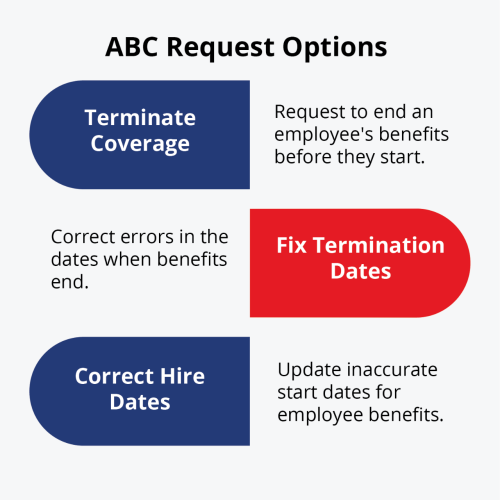
1. Terminate Coverage - Request to end benefits before they start.
2. Fix Termination Dates - Correct errors in end dates of benefits.
3. Correct Hire Dates - Update inaccurate start dates for benefits.
How to Submit a Correction Request:
- By Email: Fill out the form and email it to benefits.administration@tn.gov.
- Through Zendesk (No Form Needed):
- Go to Zendesk and select Submit a Request.
- From the dropdown menu, choose Corrections and Clarifications Form.
- Enter the employee’s details and the correction you need.
Medical Claims Appeals
If there are problems with medical claims or disagreements about how claims are processed, employees must contact the vendor directly. Benefits Administration does not handle these appeals. For help filing a claim appeal, visit the Partners for Health website under Health and scroll to the bottom of the page for the “Medical Service Appeals” section.
Administrative Error Letter
If an ABC or employee misses a policy deadline because of an error, they can request an exception using an Administrative Error Form.
The form should include:
- Employee's name.
- Employee's Social Security number.
- Employee's Edison ID.
- Agency's name.
- Employee's hire date.
- Date enrollment was submitted.
- Details of the administrative error.
Note: Submitting an error request does not guarantee approval. Management will review the request and decide whether to grant or deny the exception.
Appealing Denied Requests to Benefits Administration Review Team
If a request is denied, the ABC or employee can appeal to the Benefits Administration Review Team.
How to File an Appeal with BART: Lists required information—employee’s name; employee ID or Social Security number; contact information (phone or email); a clear explanation of the issue; why the decision should be reviewed; and any supporting documents. It says appeals can be sent via Zendesk, by mail, or by email to benefits.administration@tn.gov.
What Happens Next? Explains that the appeals team reviews the case and gathers additional information if needed. If it’s an administrative error, it is sent to operations for approval without BART review. Otherwise, the case is anonymized and presented to BART for a fair, unbiased decision.
How Long Does It Take? States that administrative error decisions usually take 10–12 business days, though longer during busy times like Annual Enrollment, and that employees will receive an email through Zendesk with the decision. Most BART appeals take about three weeks, depending on volume or need for additional information.